- Through the Administrator Site
- Through the Mobile App
- Download the iOS app from the App Store
- Download the Android app from the Google Play Store
- The download is free but carrier data rates may apply
- The funds will go back into your main PEX account
- Note: Defunding cards is not an available feature on cardholder owned disburse account programs
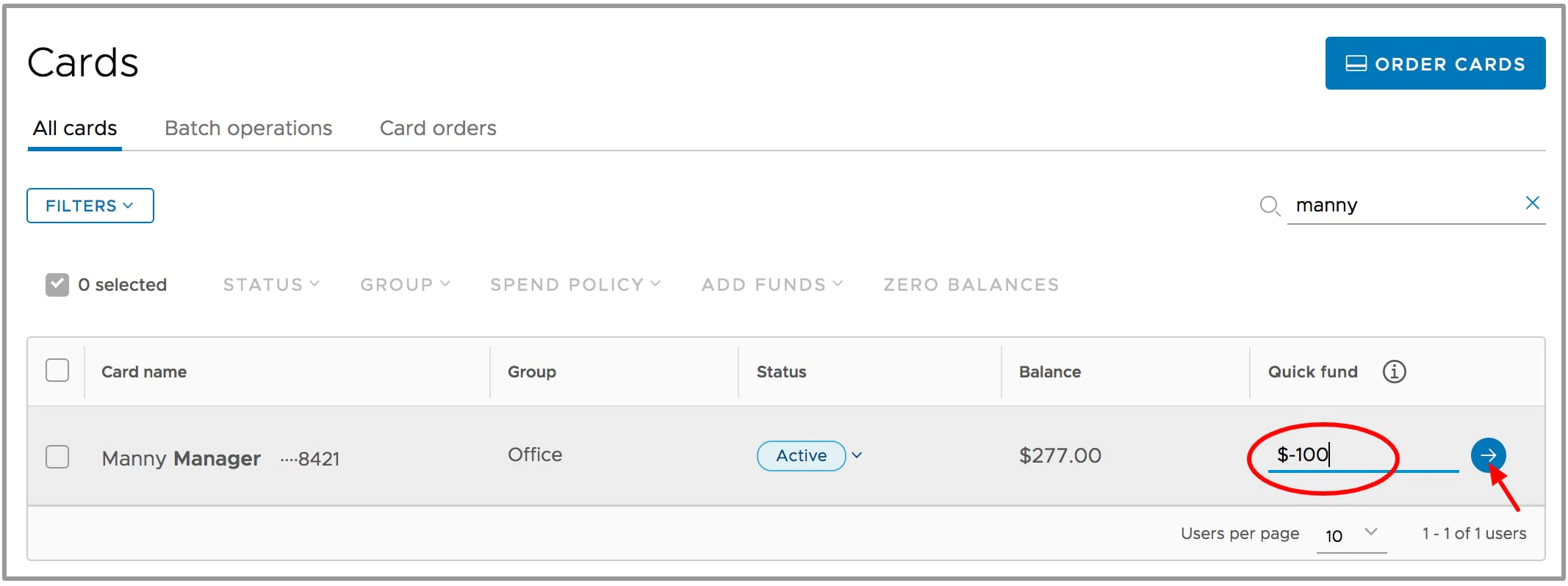
How to remove funds from a card using the Administrator Site
Log in to dashboard.pexcard.com
How to remove funds from a card using the Mobile App
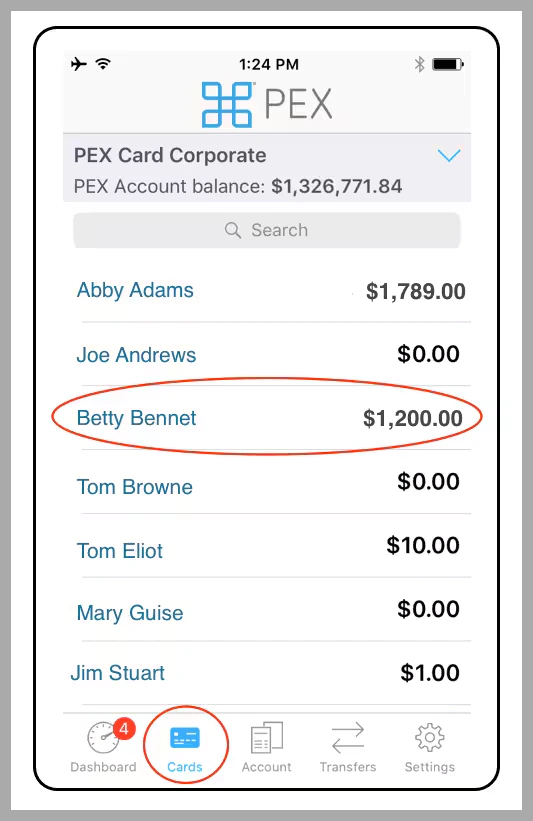
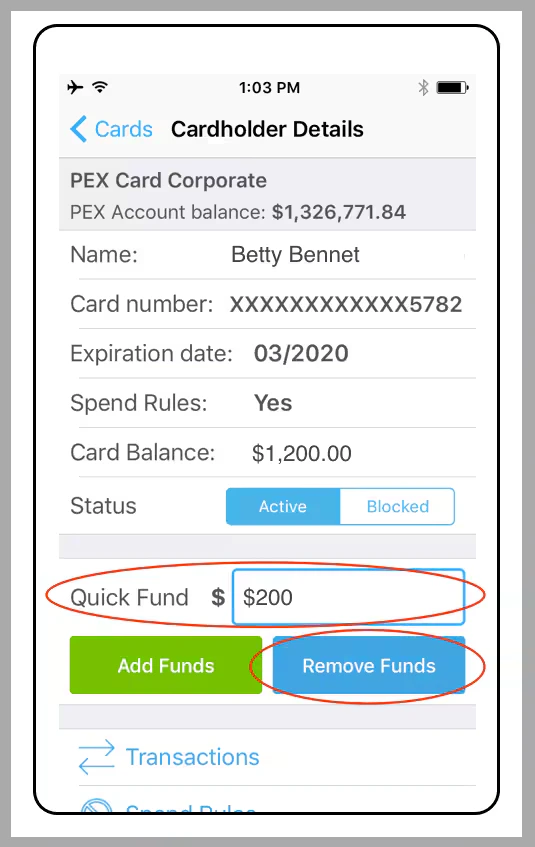
In the “Quick Fund” box, enter the amount to remove from the card (as a positive number, e.g., 200)
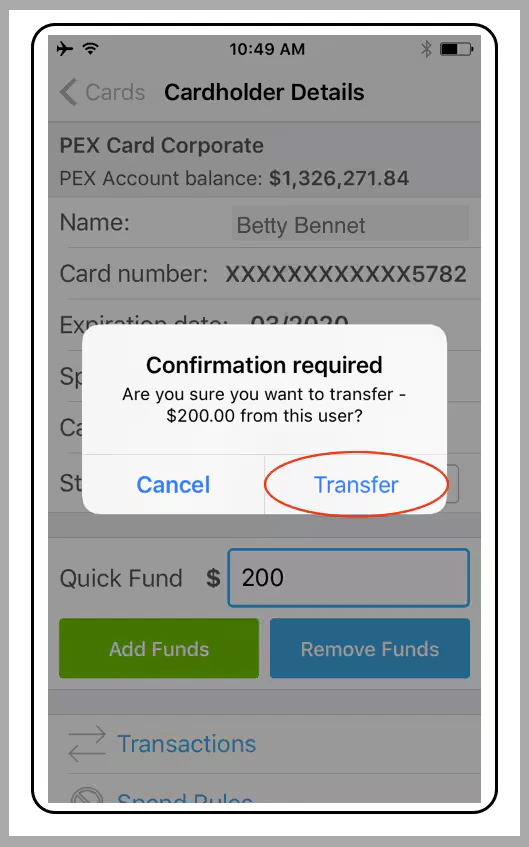
Click the blue “Remove Funds” button