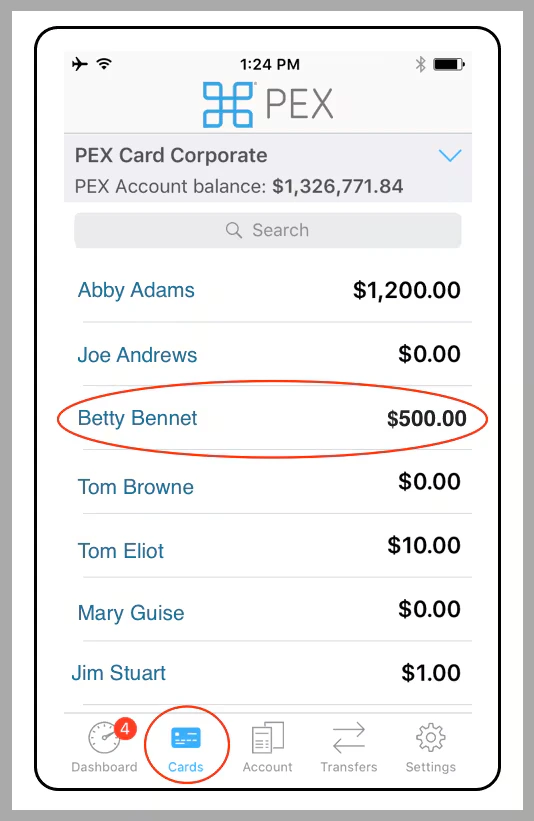
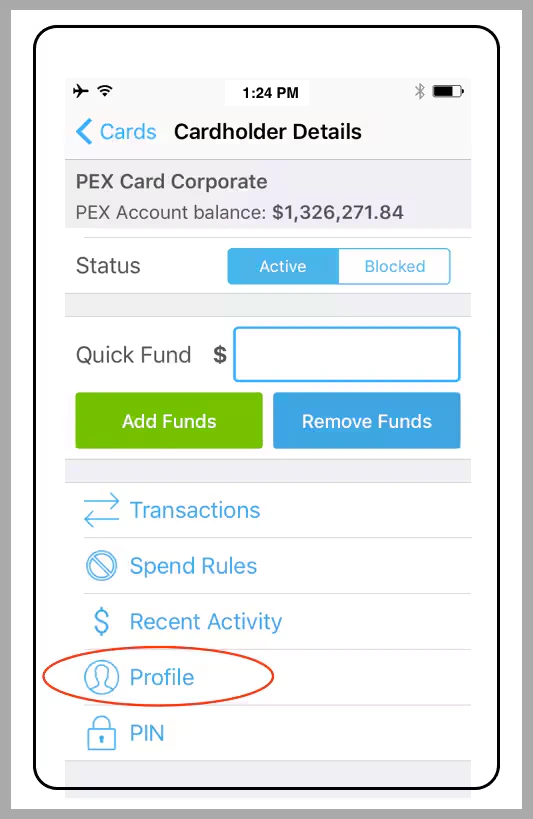
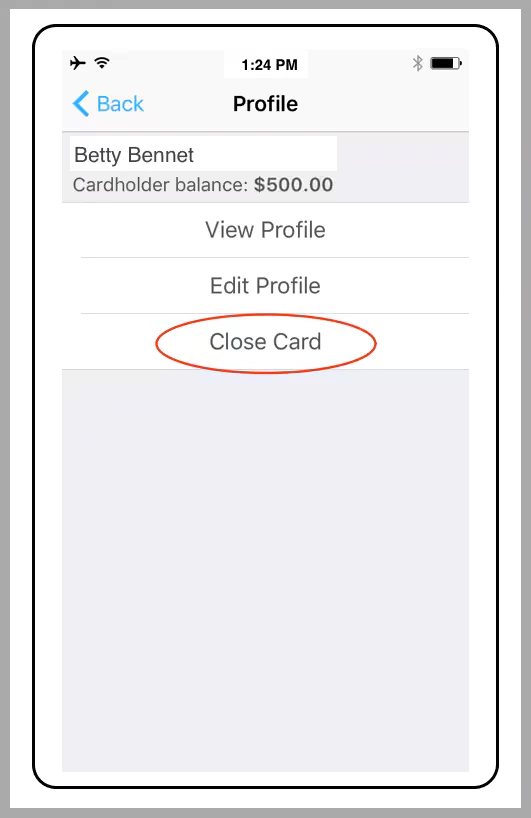
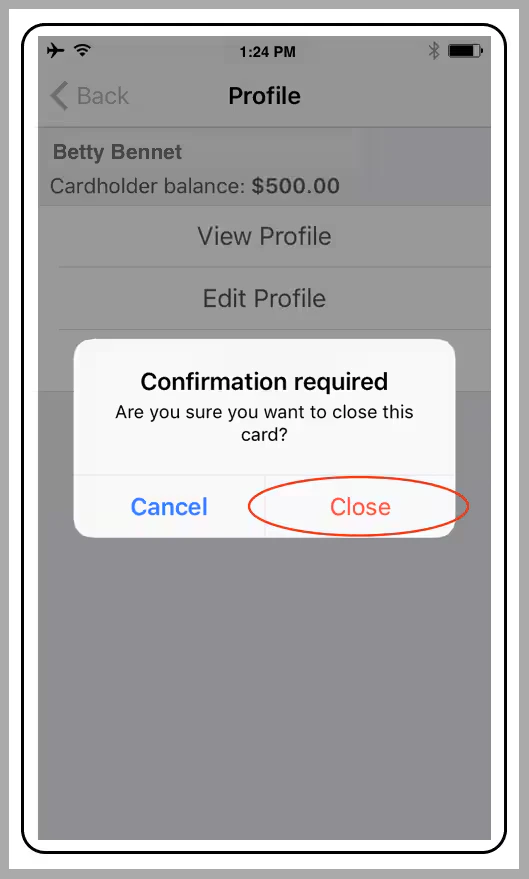
- Once closed, you can not reactivate the card, have it replaced, nor view the full 16 digit card number on the dashboard
- If you need another card for the same individual, then order a new card using the Order Cards button
- When you close a card, any balance on the closed card is added back into the main corporate account
How to close a card via the PEX Web App
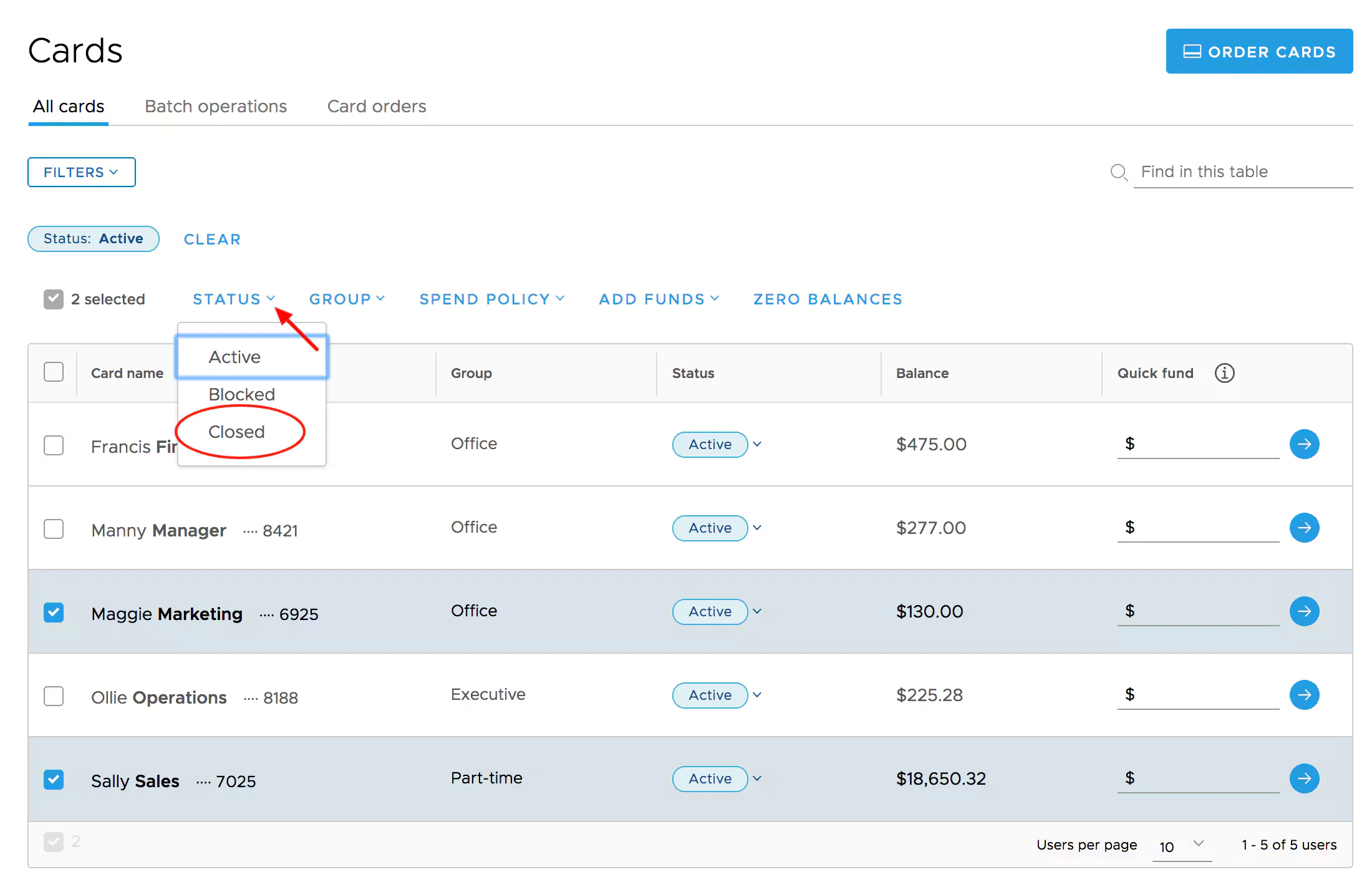
Method 1
Log in to dashboard.pexcard.com
Locate and select the checkboxes next to the cards you wish to close
- You can use Filters to narrow your list, or find a set of cards
Method 2
Log in to dashboard.pexcard.com

How to close a card using the Mobile App
You must have the PEX mobile app installed on your phone or mobile device. If you do not have the app, please download the app using one of the links below:- Download the iOS App from the App Store
- Download the Android App from the Google Play Store
Note:The download is free but carrier data rates may apply
Click on the cardholder’s name