

Note:You must order new cards for cardholders whose cards have been closed
How to close multiple cards at once
Click the “Cards” tab on the left side navigation
- You can use the “Filters” on the top left of the list of cards or use the “Find in this table” feature to find the cards you wish to close
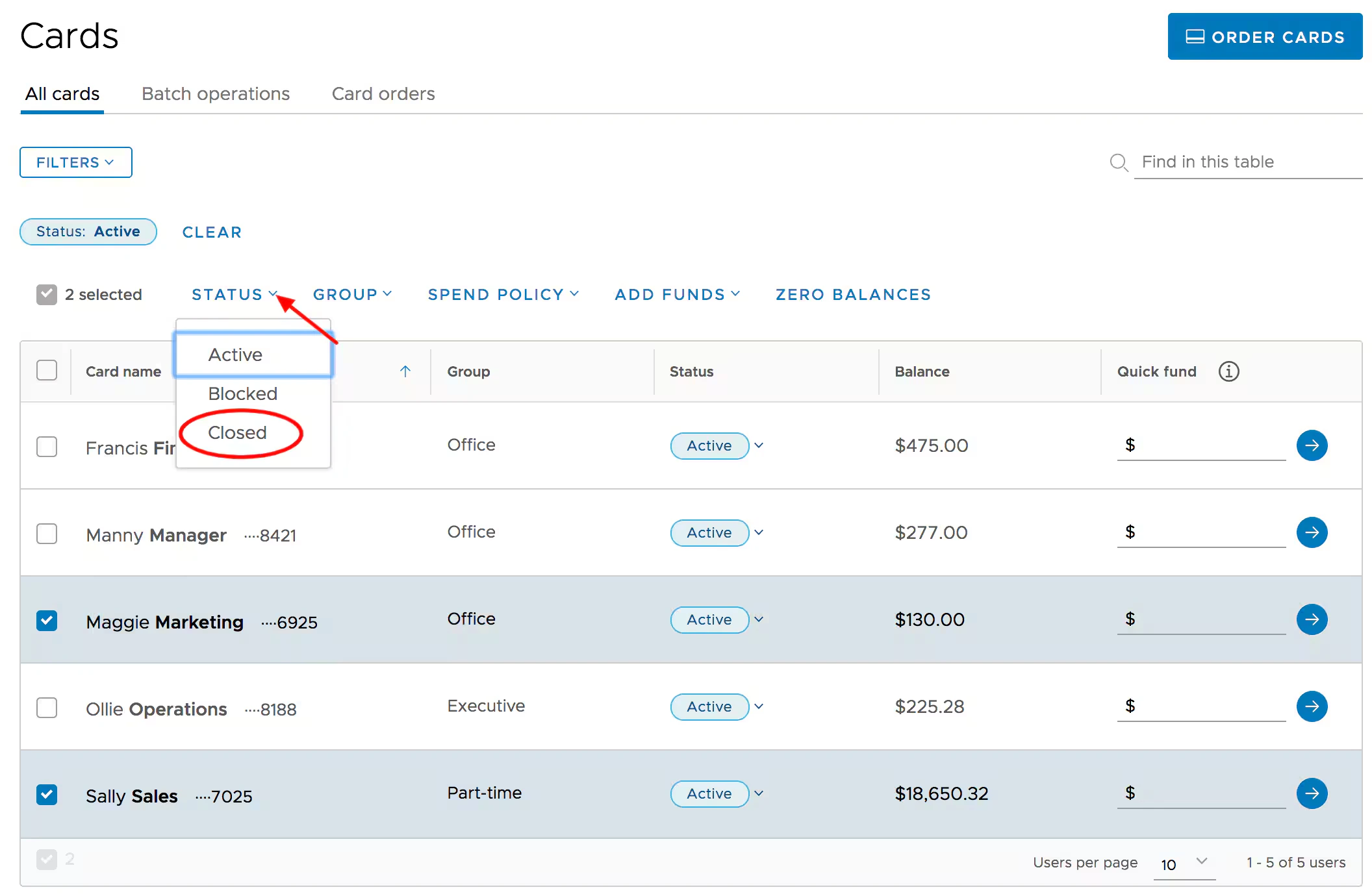
Check the boxes to the left of the names of the cards you want to close
- You must choose cards that are either Inactive, Active or Blocked
Click the “Status” dropdown above the card list to change the Status of the selected set of cards in a bulk action
Click “Change Status” to confirm you wish to close the cards
- If you change your mind, choose “Cancel” or use the “x” in the top right to close the confirmation modal
Note:
- Batch card edits/changes are scheduled
- They are instantly acknowledged onscreen, but it may take a few moments to see the updates