How to remove funds from multiple Active cards

2
Click the “Cards” tab
3
Click “Filters”
4
In the Filters dropdown, select “Status”
5
Check the checkbox for “Active” and click “Add”
6
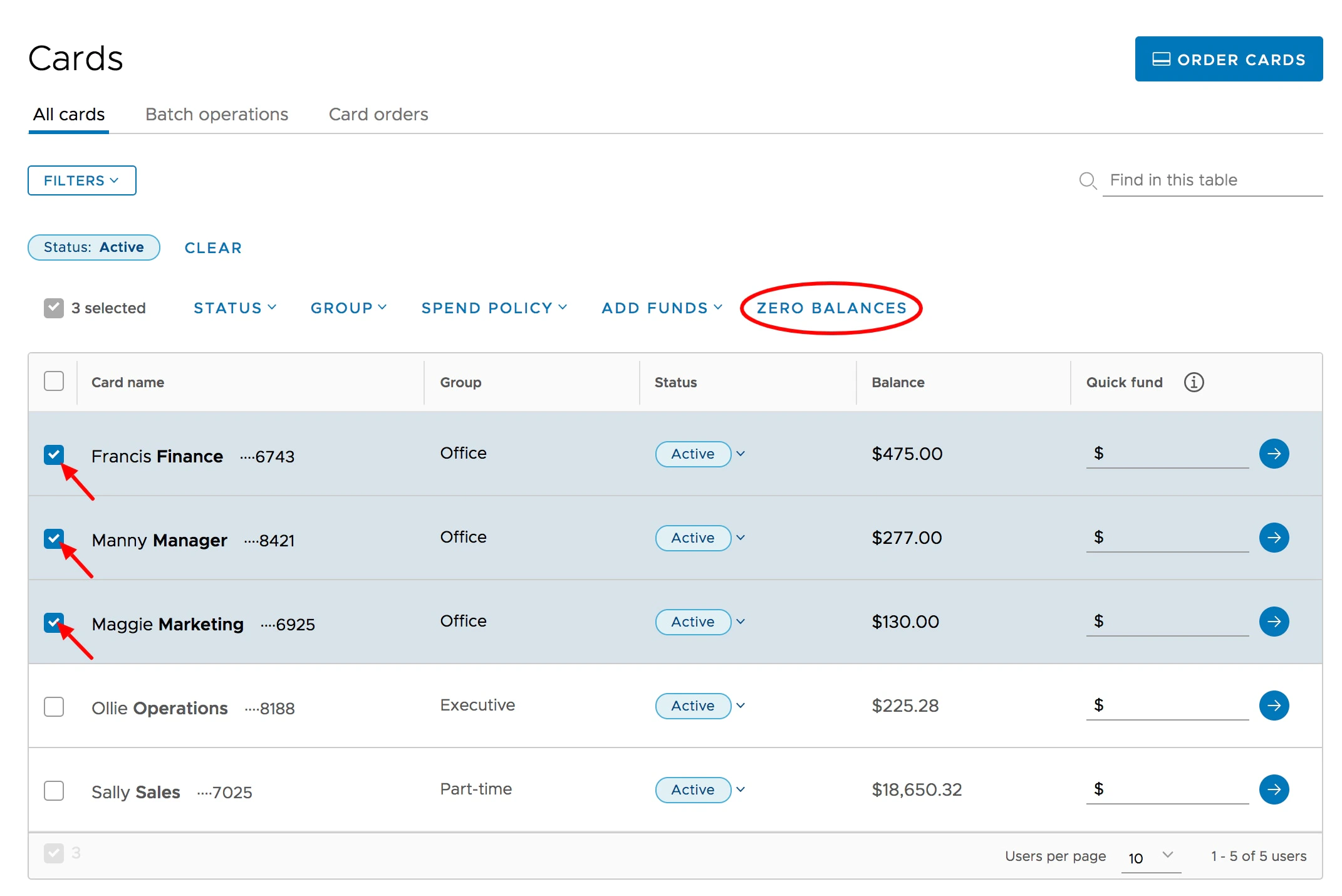
Check the boxes to the left of the names of the Active cardholders from whom you will remove funds
7
Click the “Zero Balances” button above the list
8
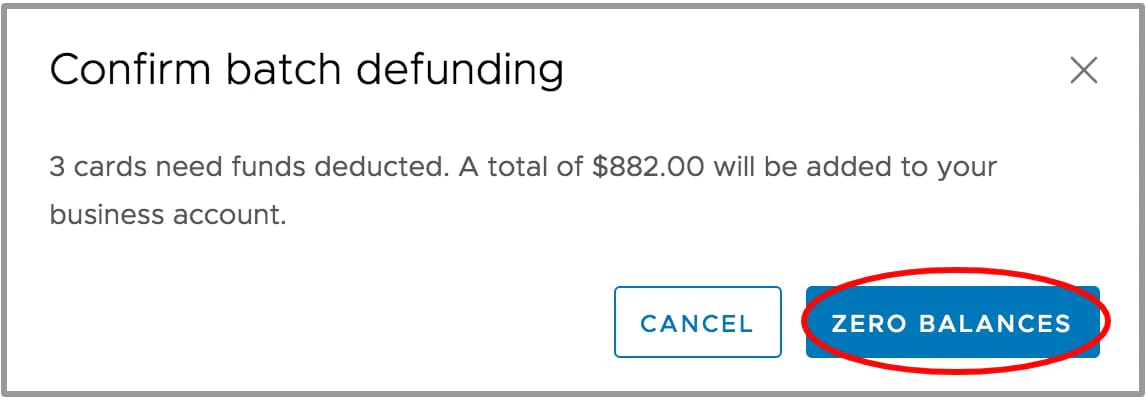
Confirm the batch action in the following confirmation screen by clicking “Zero Balances”. Once the cards have been defunded, the removed balances instantly revert back to the business account balance reflected in the upper left corner of the dashboard.
If you wish to remove funds from a set of Blocked cards, filter your card list by Status = Blocked, and follow the same process as above.
Last modified on April 22, 2026