
Activate multiple cards

2
Click the “Cards” tab on the left
3
Using the “Filters” button on the upper left, filter the list by Status. Check the “Inactive” box to find a list of cards to activate, and click “Add” to add this filter.
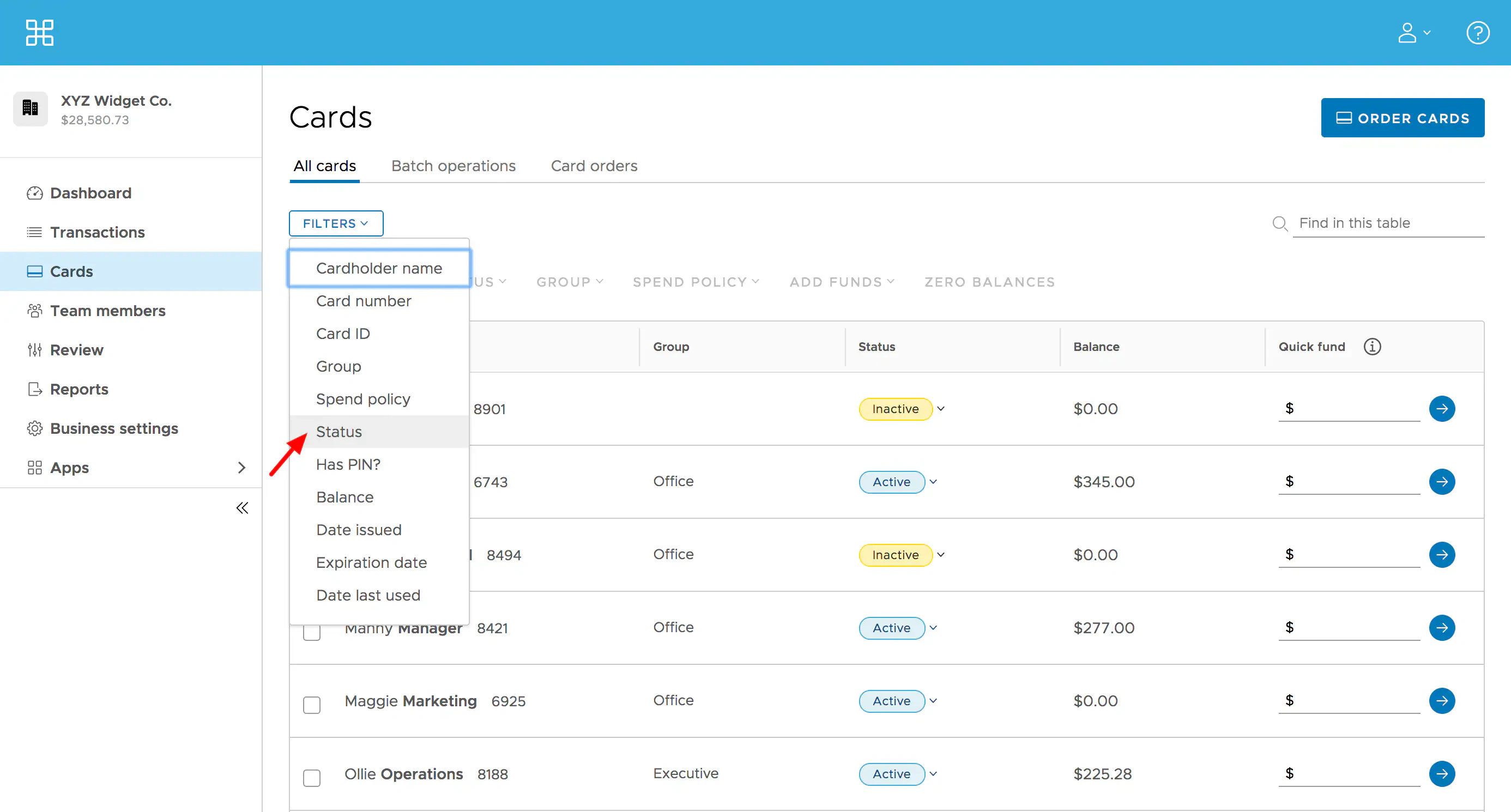
Filter the card list by Status.
4
Check the boxes to the left of names of cards you would like to activate
5
At the top of the list above “Card Name”, select from the drop down menu the status for “Active”. Click the “Change Status” button on the following screen.
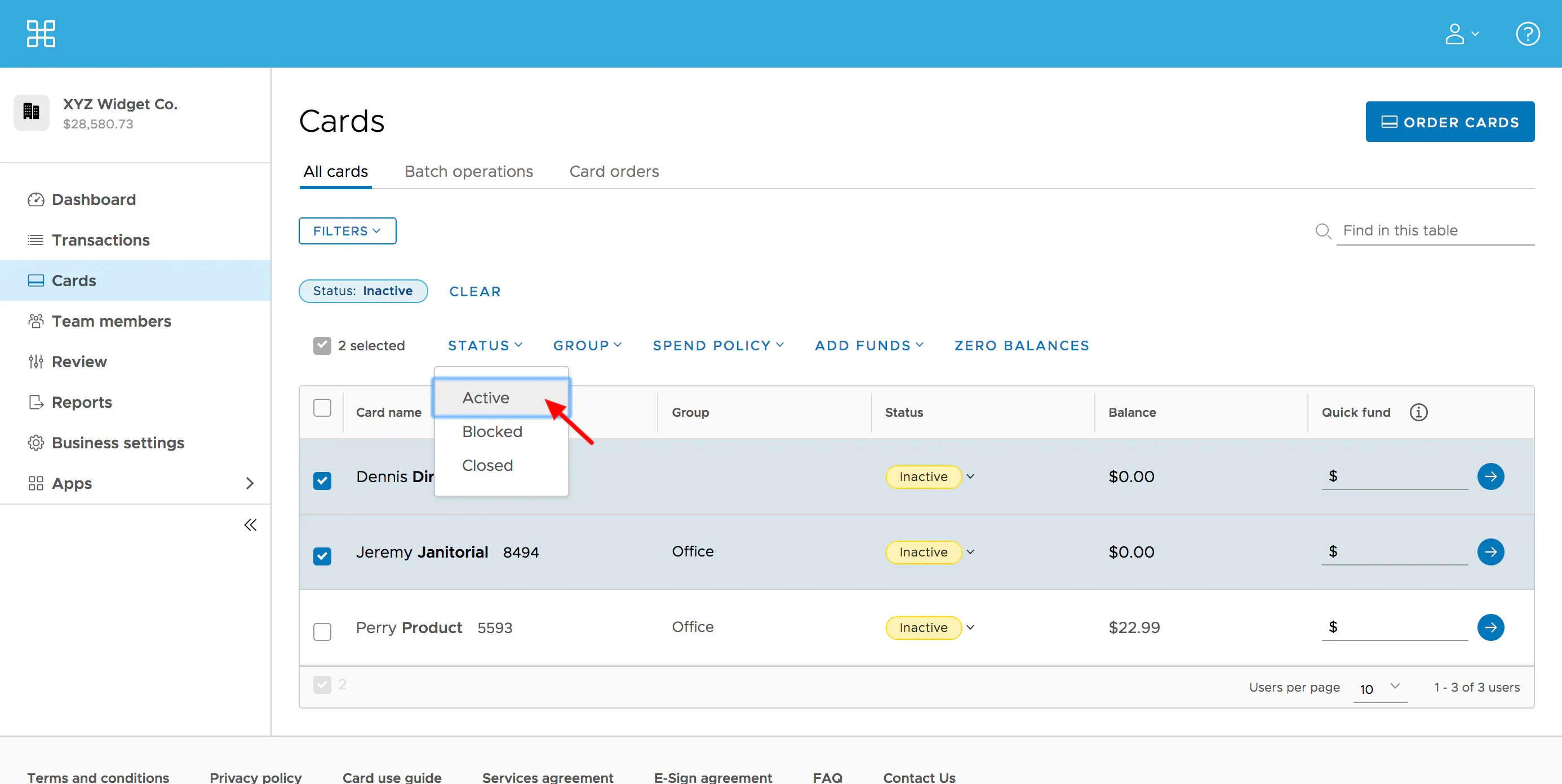
Select Active in the drop down menu and click Change Status button on the next screen.
6
Your Change Status operation will show in the “Batch Operations” tab on the Cards screen
If you would like to learn how to fund multiple cards, please see “How to Fund Multiple Cards If you would like to learn how to search cards based on certain criteria, please see “How to Search Cards
Last modified on April 22, 2026