

How to fund multiple cards at the same time
Log into dashboard.pexcard.com
Click the “Filters” button and select “Status”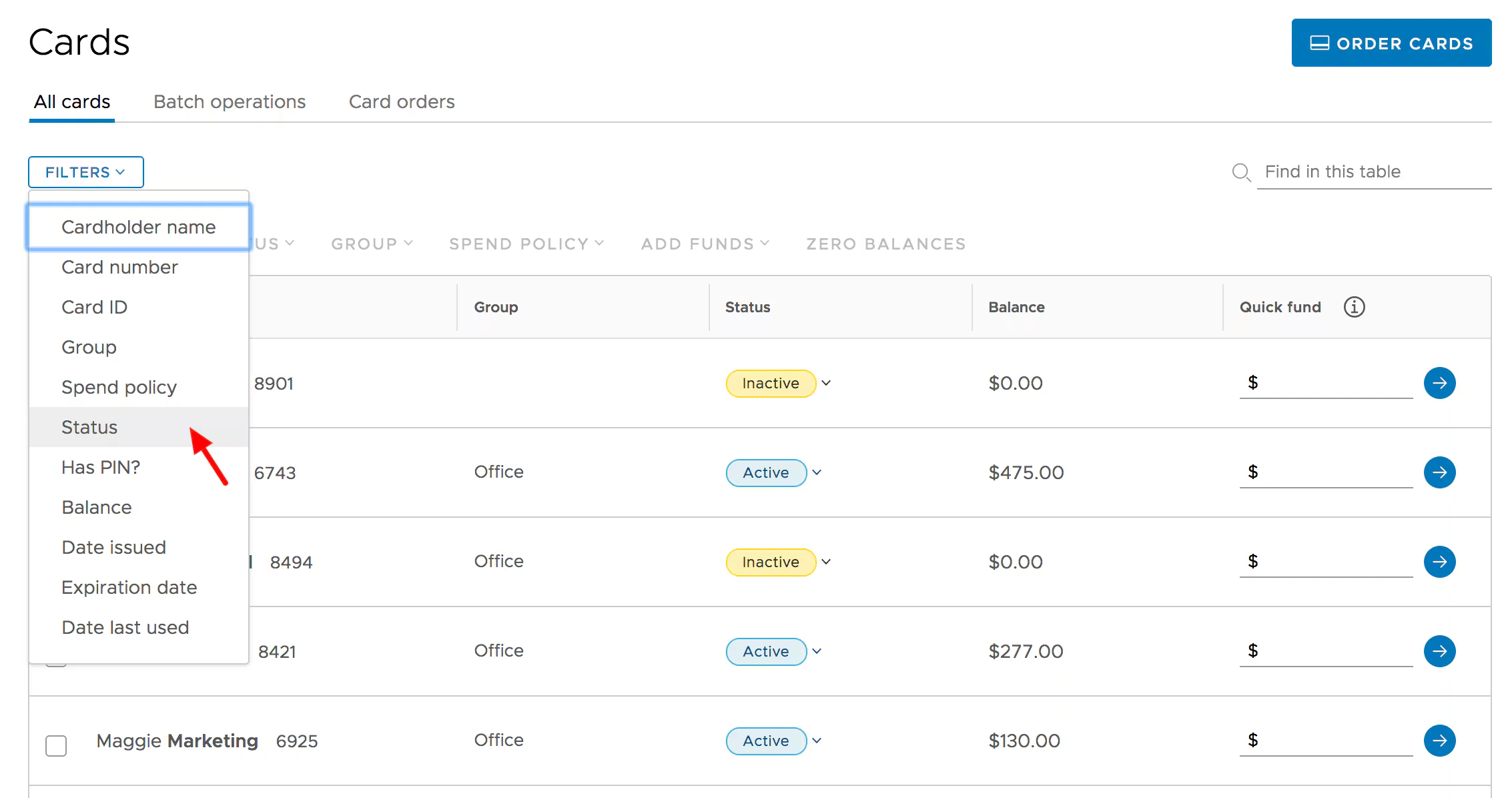
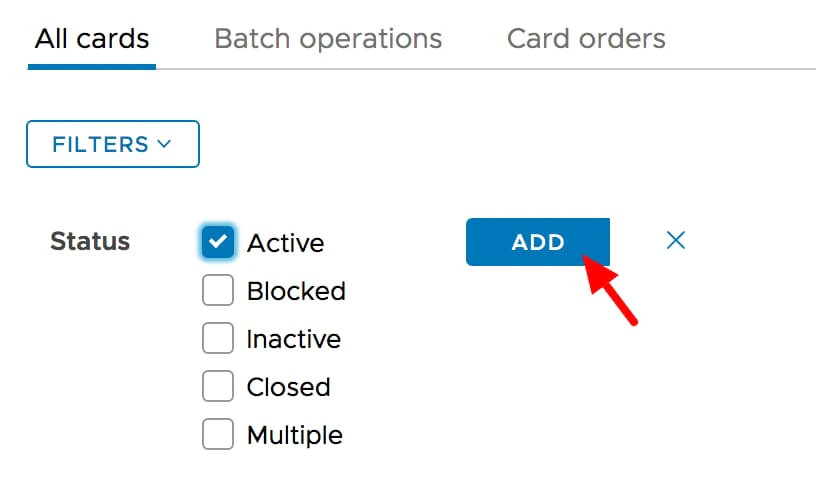
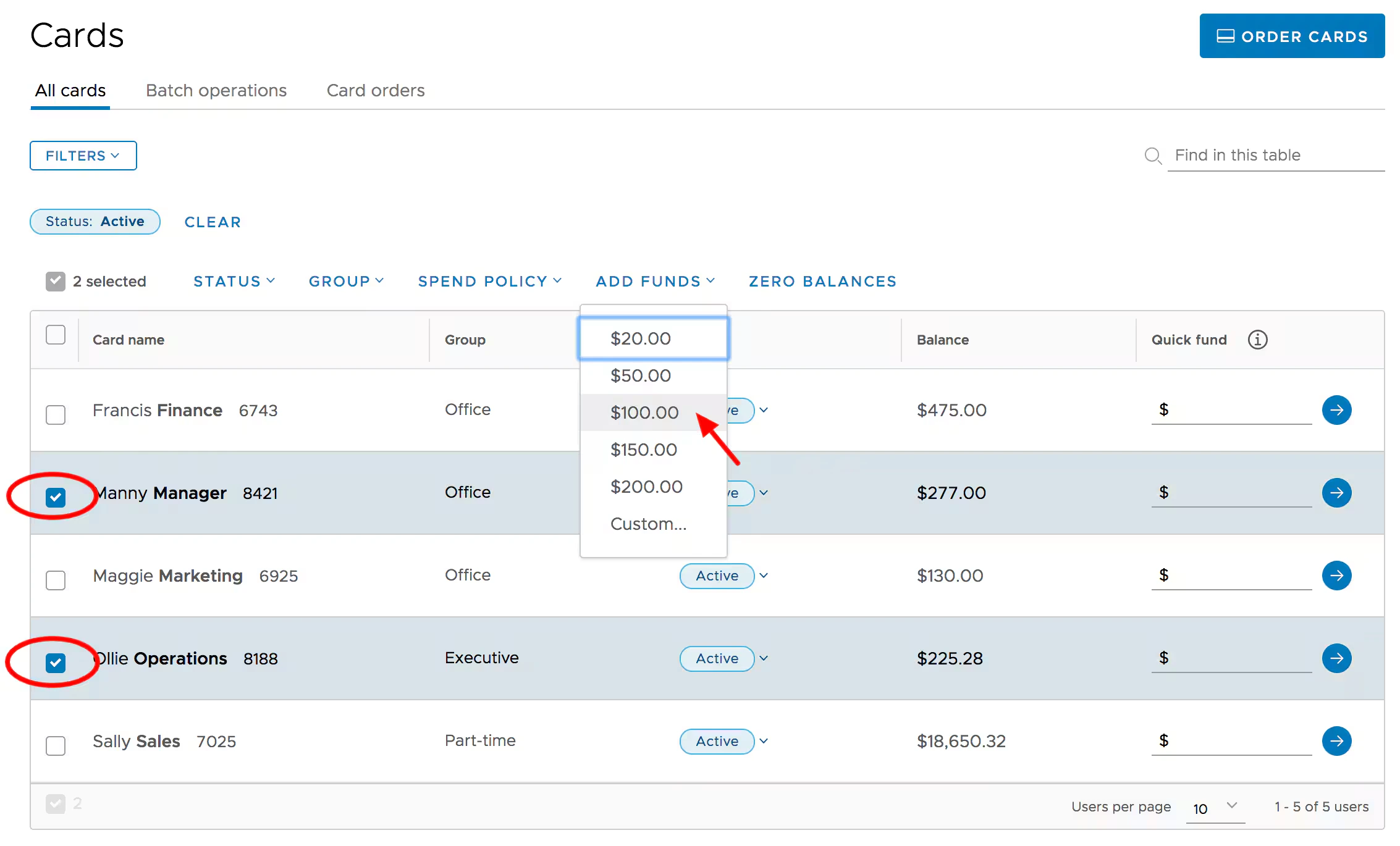

- Check the boxes to the left of names of cards you want to fund
- Select a value from the drop down menu in the “Add Funds” column
- Review the values entered in the confirmation screen
- Click the “Fund Cardholders” button on the confirmation screen
Funds will be added to the selected cards, and removed from your main PEX account