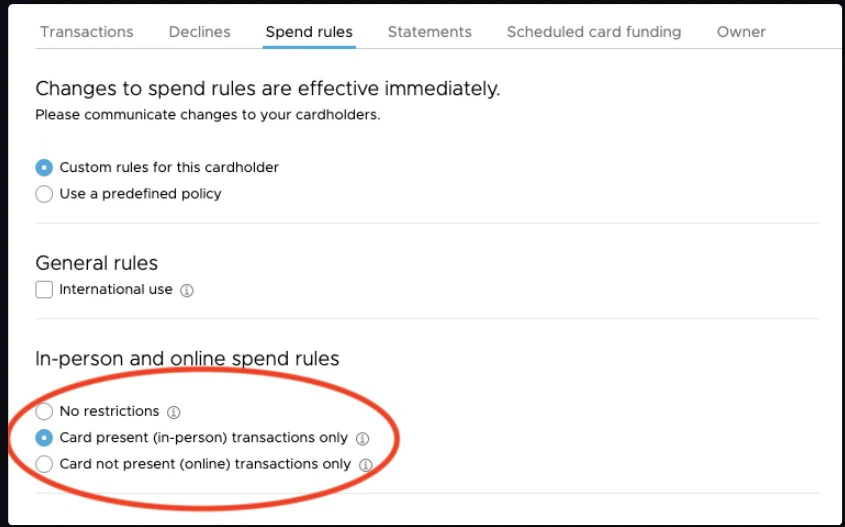
In-person and online Spend Rules options are
  • No restrictions - A Cardholder can make purchases in-person and online.
  • Card present (in-person) transactions only - Cardholder can ONLY make purchases in-person.
  • Card not present (online) transactions only - Cardholder can ONLY make purchases online.
Instructions for the PEX site | Instructions for the Mobile App Administrators with “Manage Cardholder” permission can enable or disable “Card Not Present” use of the card:

INSTRUCTIONS FOR THE PEX SITE

1
Log in to dashboard.pexcard.com
2
Click on the “Cards” tab
3
Locate and click on the cardholder’s name
4
Click on “Spend Rules” in the card details page
5
Select the option under “In-person and online spend rules”
6
Click “Save Changes” to update the spend rules for the card

THROUGH THE MOBILE APP

1
Log in to the Mobile App
2
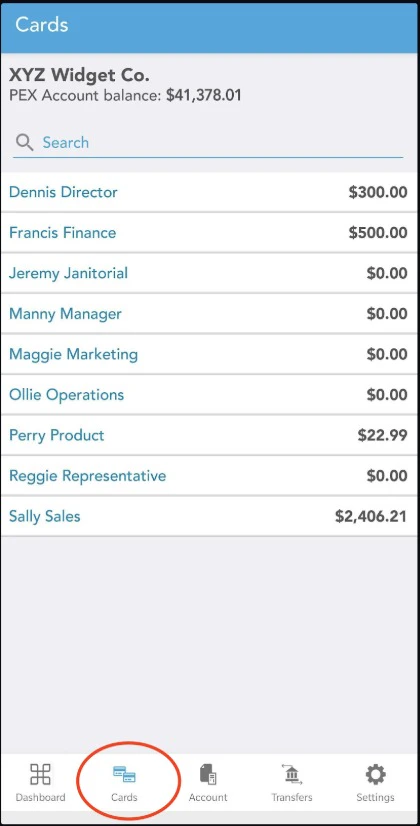
Click the “Cards” icon at the bottom of the screen
3
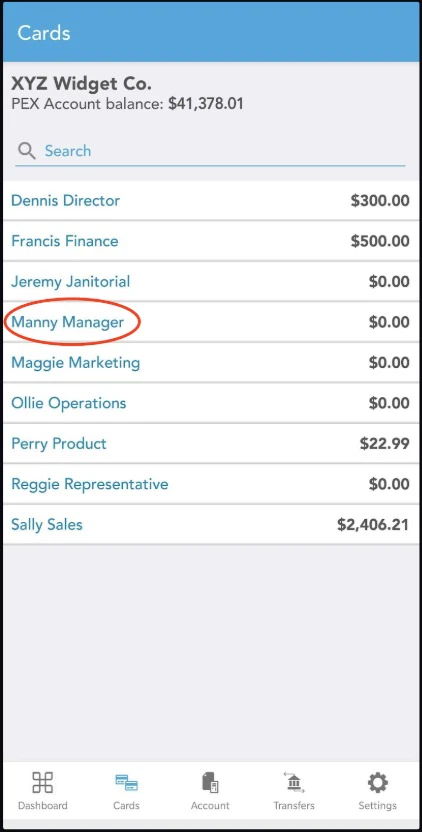
Click on the cardholder’s name
4
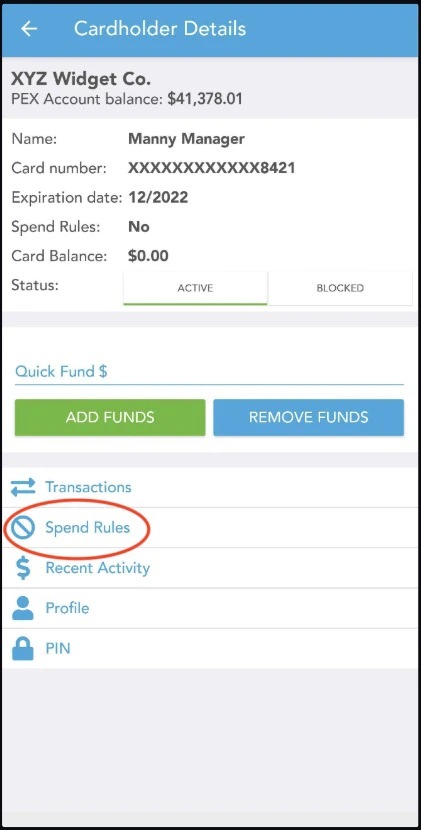
Click “Spend Rules”
5
Click “In-person and online spend”
6
Select an option to limit transaction spend, In-person, online or both.
Last modified on April 22, 2026