- PEX will automatically initiate a Same Day ACH transfer for the sum of the business’s settled transactions from the designated linked external bank account.
- The credit line replenishment date can be viewed from the pending tab information bubble below the Payment history tab. Please allow 1 day for the credit line to replenish from the repayment post date.

Early Repayment
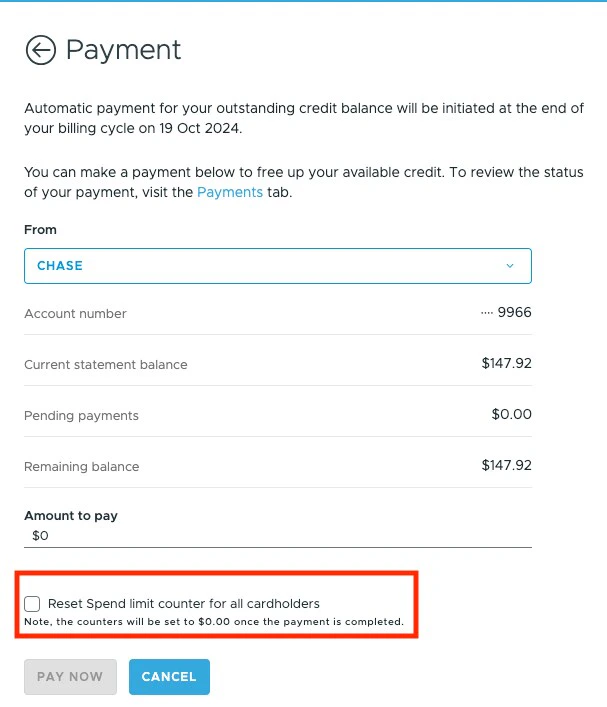
Customers can also manually initiate early repayment on the dashboard site. Once the repayment transaction has settled, the amount repaid will be added to the available credit. Repayment in excess of the current balance of settled transactions for a business is not allowed.Early Repayment and Resetting the Cardholders Spend Counter
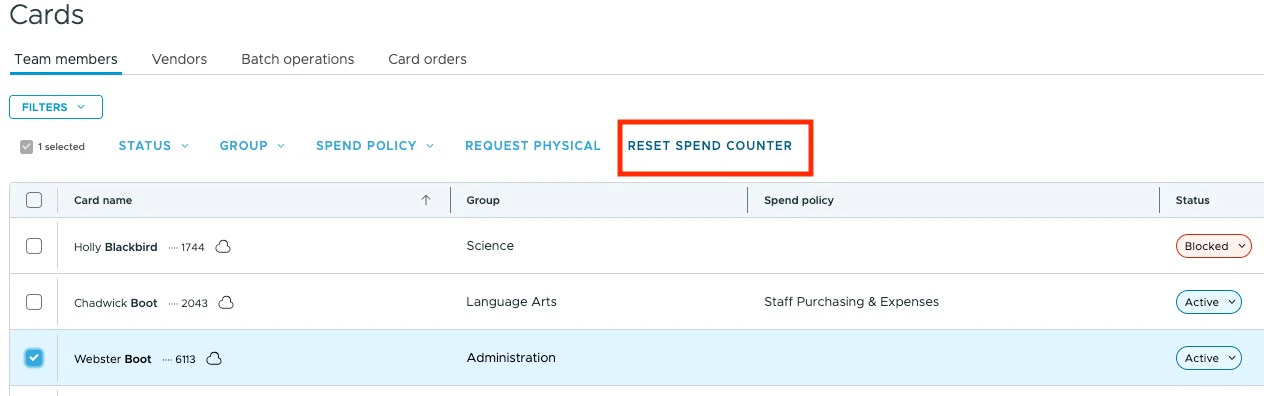
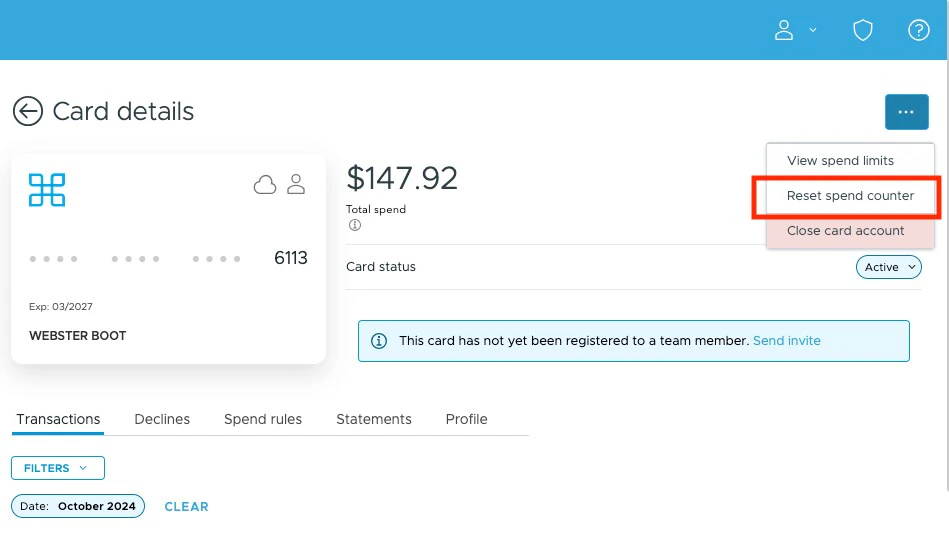
If you wish to reset the Cardholder’s spend counter after an early repayment, there are 3 options. All Cardholder’s spend counters will reset automatically at the end of the billing cycle. Option # 1 Reset the limit counter during early repayment for all cardholder accounts.The Payments tab can be located on the navigation listed on the left side of your administrator dashboard.