

Note:The external bank account must be on record with PEX
- Download the iOS app from the App Store
- Download the Android app from the Google Play Store
- The download is free but carrier data rates may apply
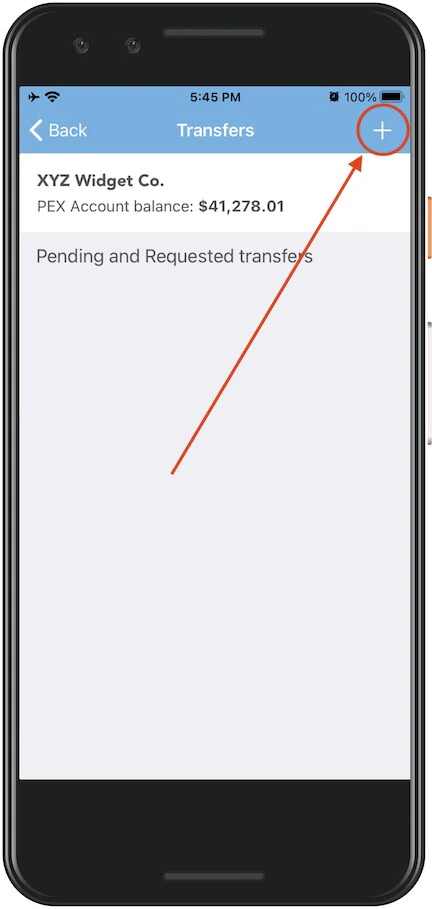
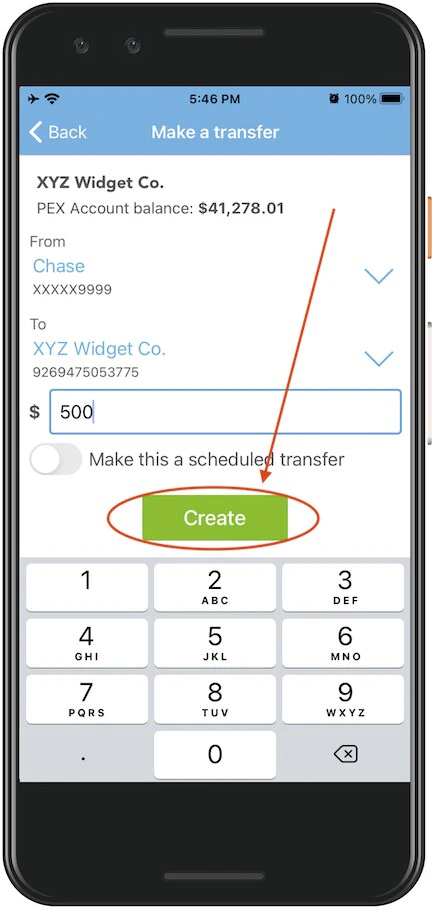
Select the PEX account to transfer funds “From” (from the dropdown menu — if there is only one choice it will be preselected)
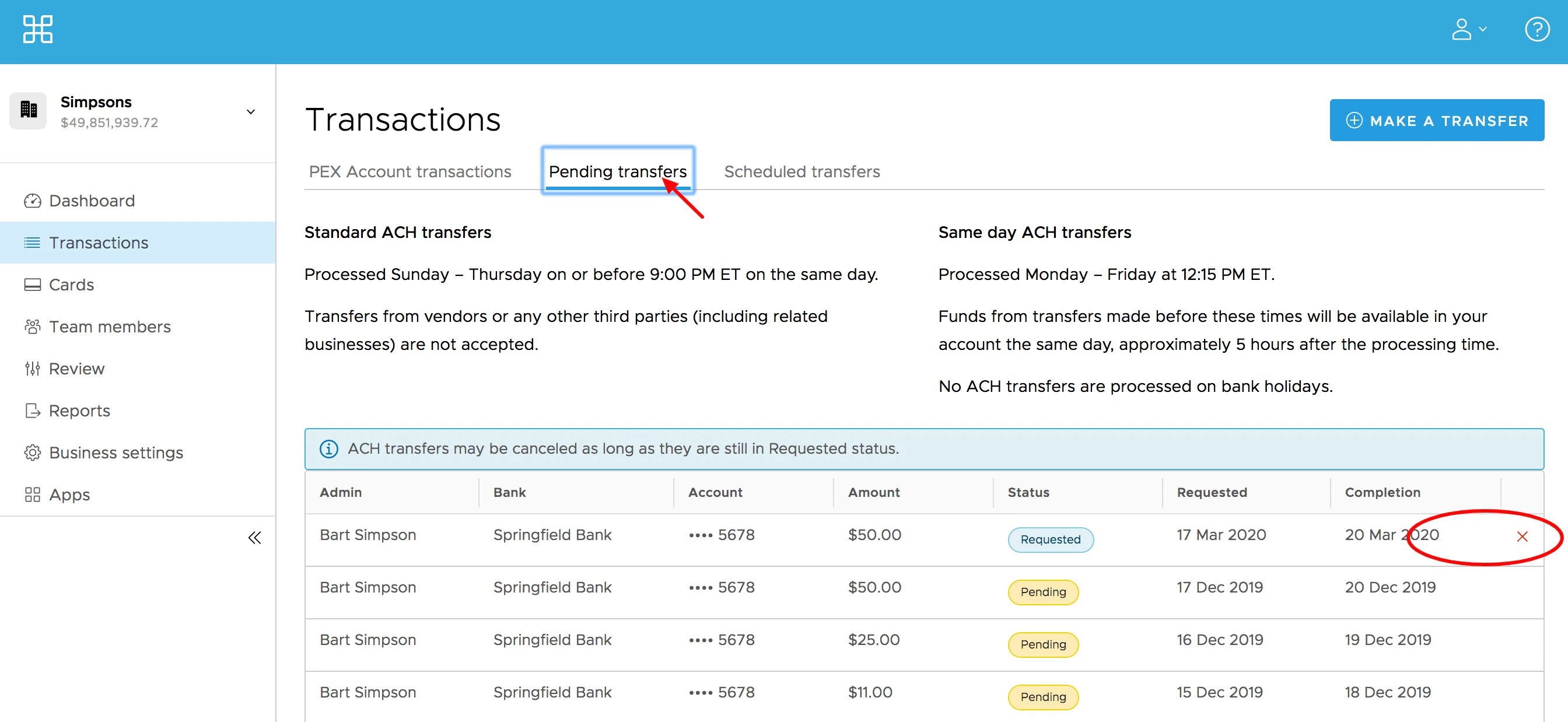
Note:Any transfers from your PEX business account by administrators to your bank will incur a $10 outbound ACH transfer fee. These and other fees are outlined on our pricing page.