
How to See the MCCs (Merchant Category Codes) in a Merchant Category
1
Log into the Admin site
2
Click the “Business Settings” tab
3
Click “Merchant Categories” in the Business Settings
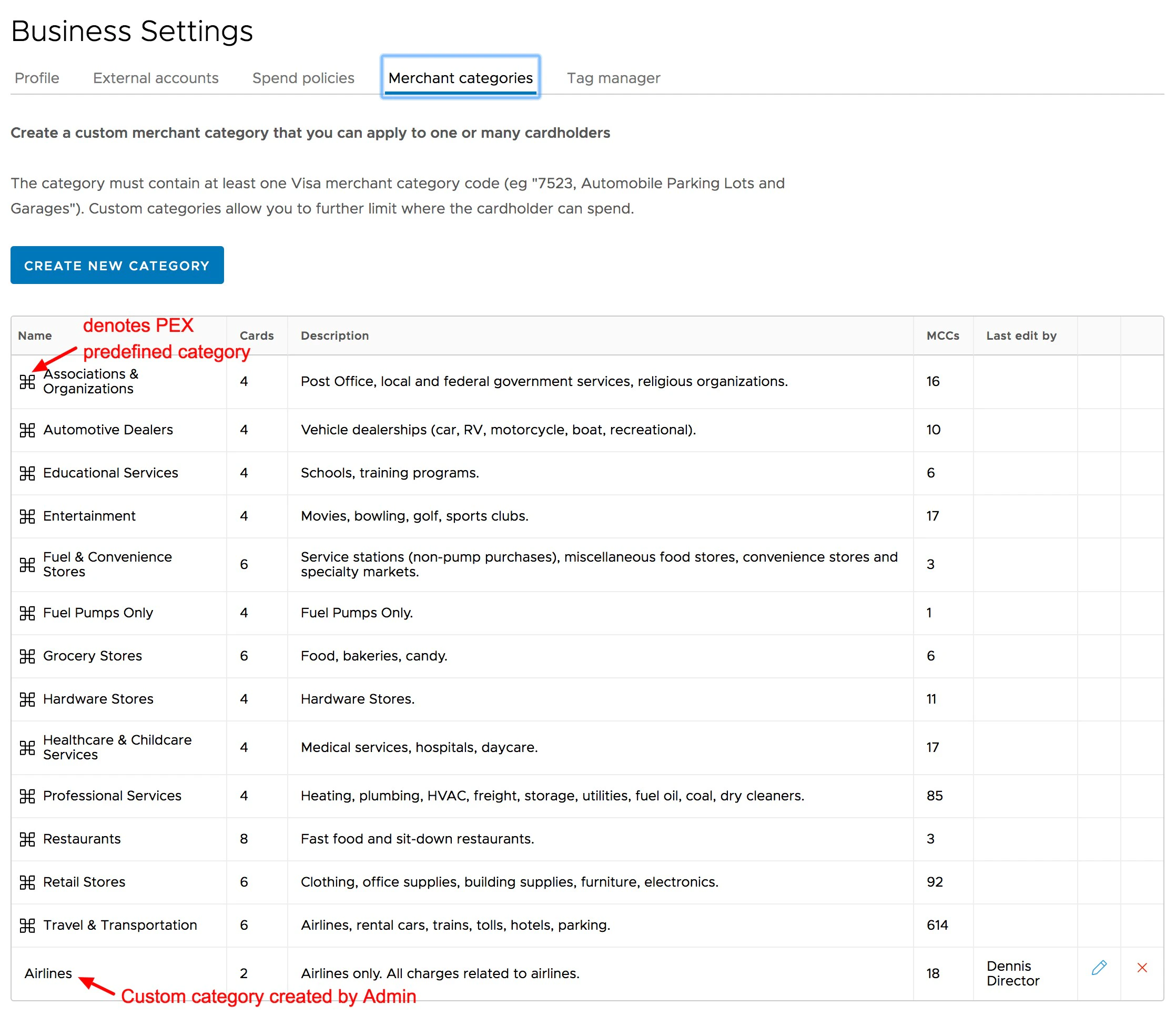
  • The 13 original PEX Merchant Categories will be listed first
  • Any Custom Categories will appear after the original PEX Merchant Categories
Click “Merchant categories.” The original PEX Categories appear first, followed by Custom Merchant Categories
4
Click on the name of the original PEX Category to open the list of Visa MCCs in that Category
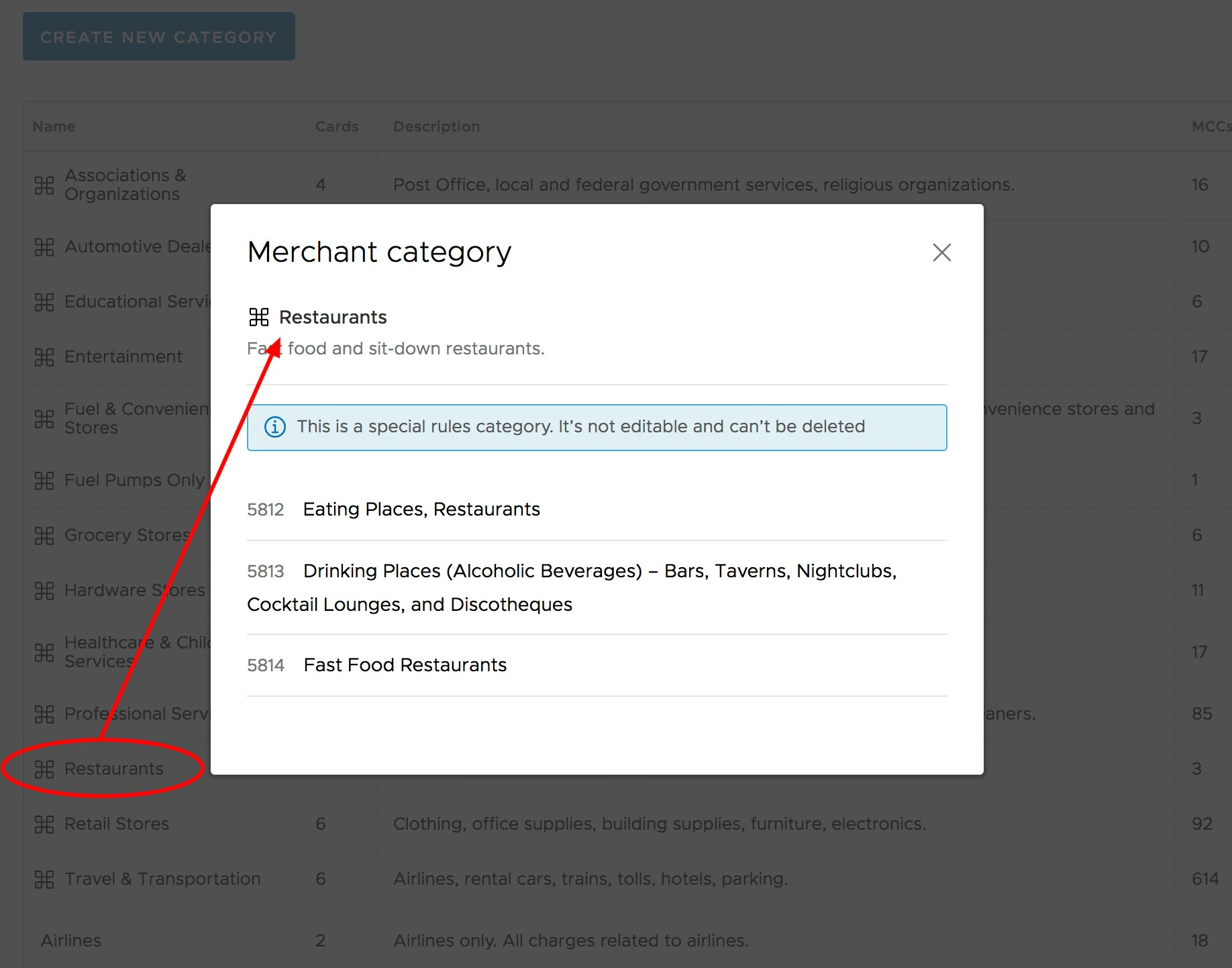
Click on the Merchant Category to see the MCCs in that Category
5
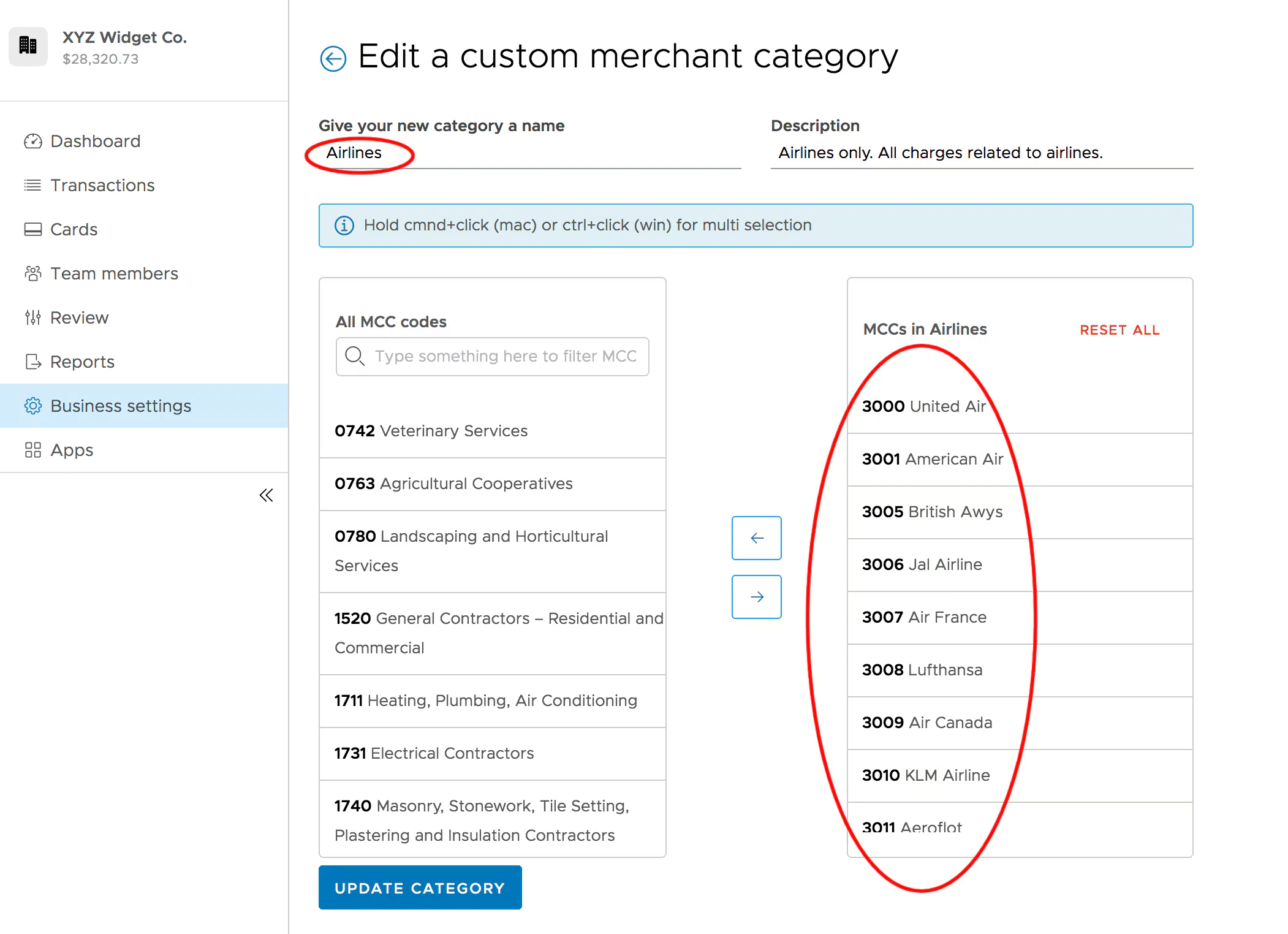
Click on the name of any Custom Category
  • You can see the MCCs in the Custom Category in the next screen
  • You can also edit the MCCs in the Custom Category in the next screen
  • Click on the name of a Custom Category to see and edit the MCCs in the Custom Category
Last modified on April 22, 2026