Your Administrator sets and updates the Spend Rules for your PEX card. Please note that PEX cannot change any spend rules. If your Administrator has given you “System Access,” then you can see your list of spend permissions on the Cardholder Site and in the Mobile App (in “view only” mode). Please contact your Administrator to request any changes in the Spend Rules for your PEX card.
 
How to See Your Spend Rules in the Cardholder Site:
1

Log into the Cardholder Site

2

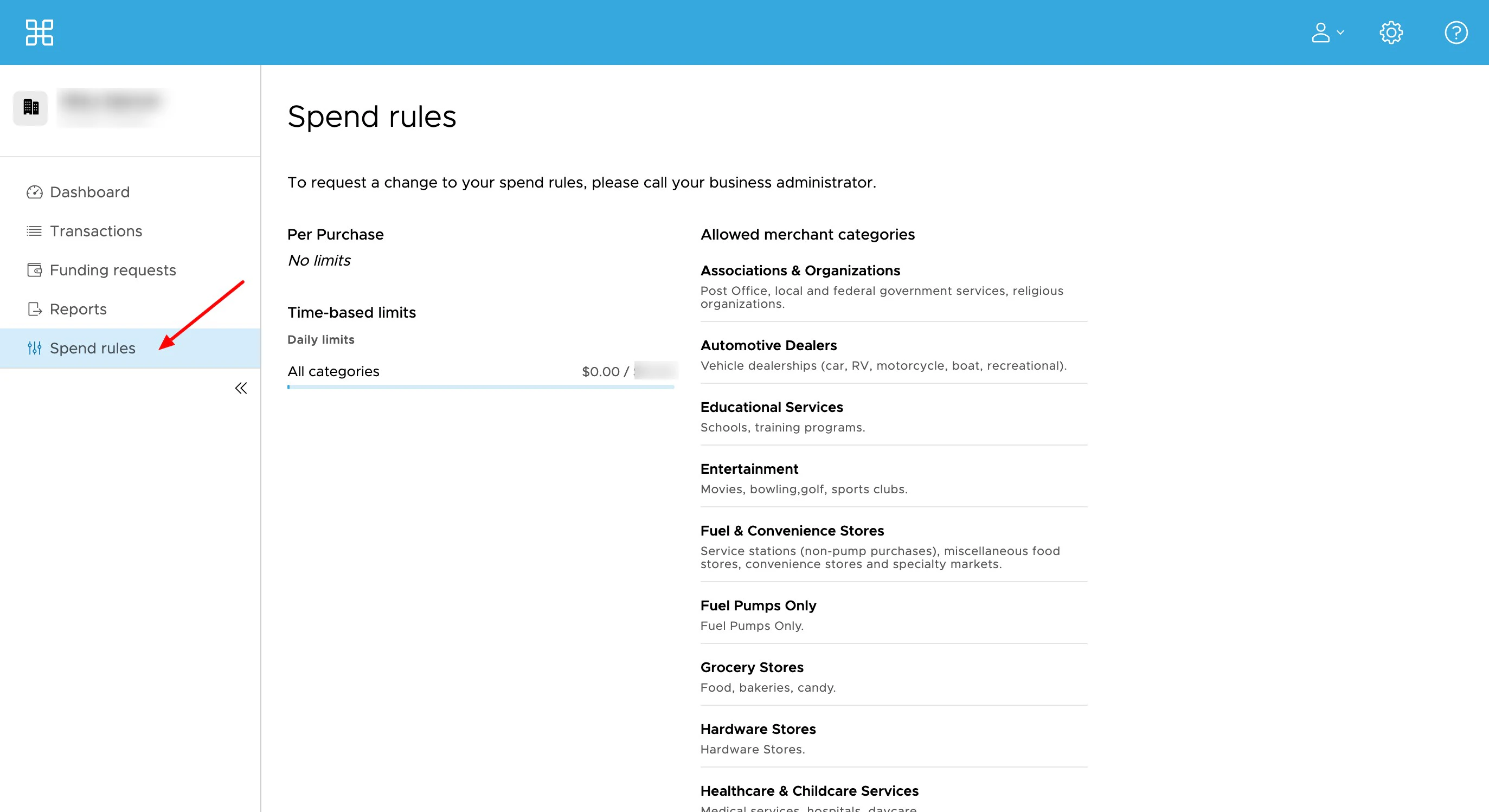
Click on the 'Spend Rules' tab

3

You will see your spend permissions, including

  • Time-based spend limits
  • Per purchase spend limits
  • Day of the week spend limits
  • If International use is allowed
  • Any US state restrictions
  • In-person and Card-not-present/online use
  • Allowed merchant categories
How to See Your Spend Rules in the Mobile App: Download the Mobile App:
1

Log into the Mobile App

2

Click on the 'Spend Rules' icon

3

You will see your spend permissions, including

  • Time-based spend limits
  • Per purchase spend limits
  • Day of the week spend limits
  • If International use is allowed
  • Any US state restrictions
  • In-person and Card-not-present/online use
  • Allowed merchant categories
Last modified on April 22, 2026