How to Enable Multi-factor Authentication (Cardholders) on All Programs
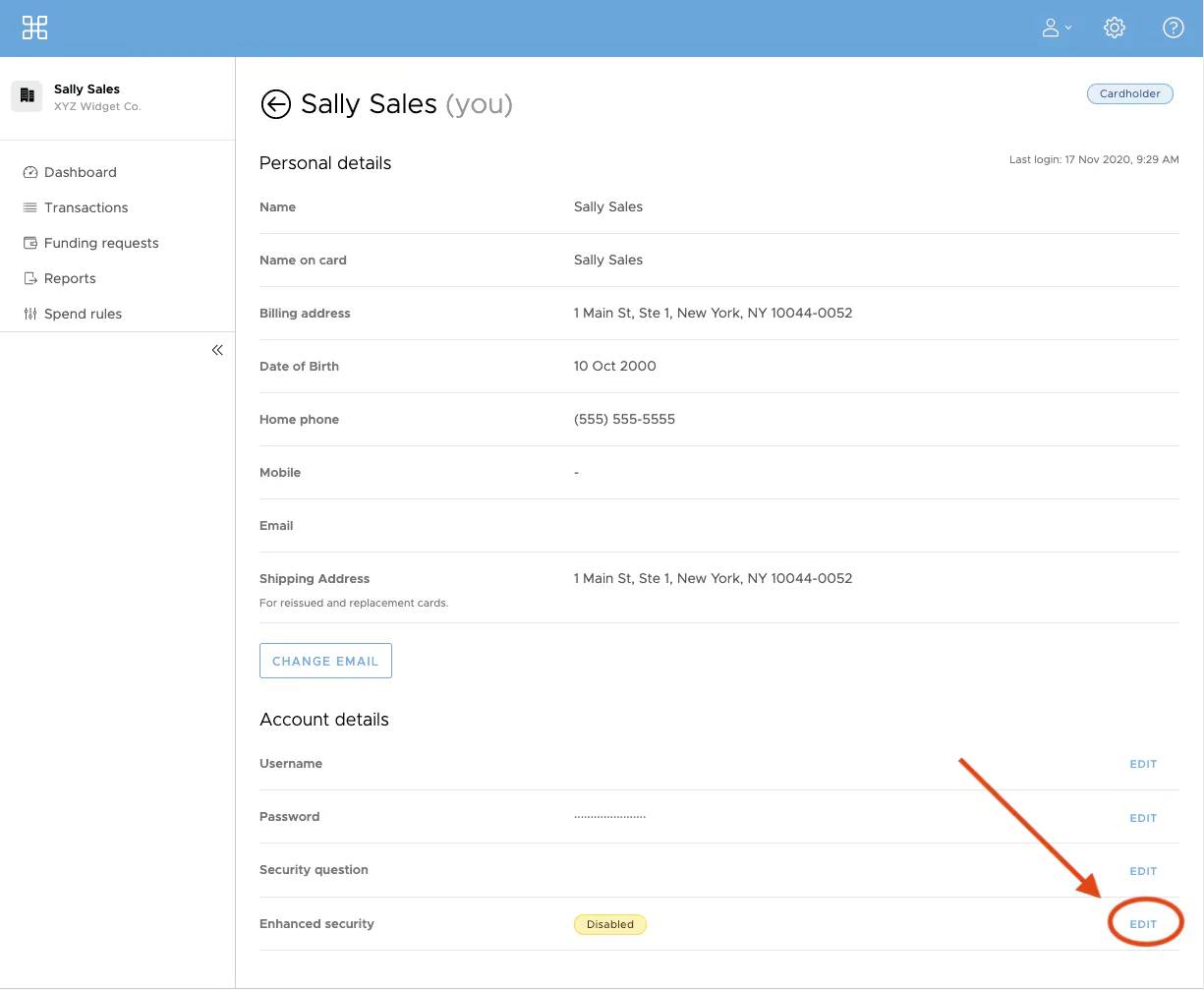
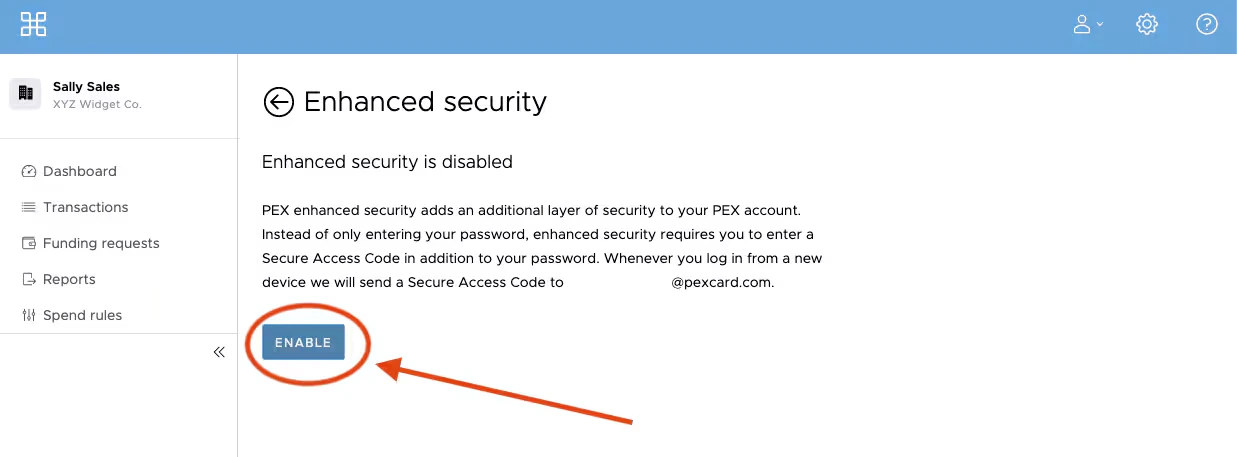
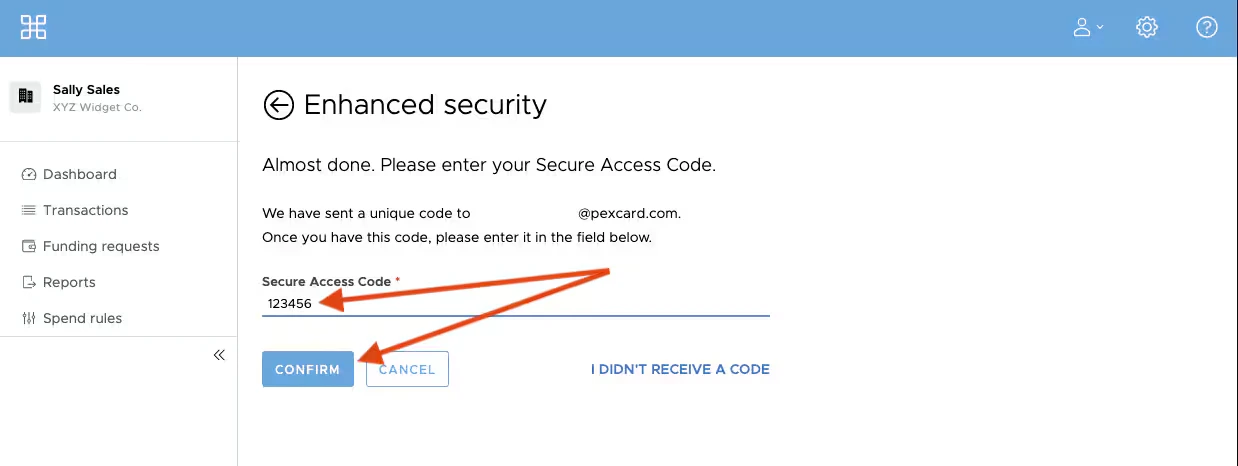
PEX offers Multi-Factor Authentication (MFA) to protect your account by sending you a one-time secure access code to use at login. If your organization has MFA enabled, you will be able to opt in to receive your secure access code via email or SMS/Text. If you would prefer to receive your access code via email, follow the steps below.How to Enable Multi-factor Authentication
To ensure your profile has the highest level of security we encourage everyone to use multi-factor authentication.Log into your PEX account via dashboard.pexcard.com site