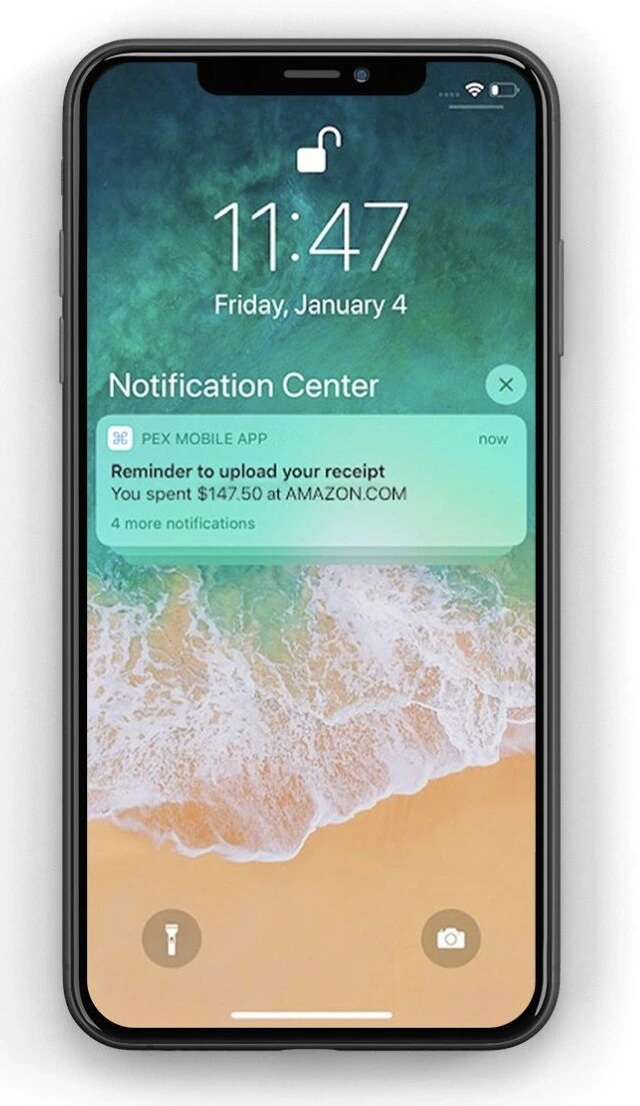
Note:Cardholders must use PEX Mobile app for iOS or Android if you wish for them to receive receipt reminders. One receipt reminder is sent per transaction to the cardholder through the mobile app. Receipt reminders are not emailed.
Enabling mobile receipt reminders
By default, your cardholders will not receive receipt reminders. You must enable this feature in your Business Settings.Log in to dashboard.pexcard.com
Note:
- Note: the Admin must have permissions to “edit business profile” to change the receipt reminder setting
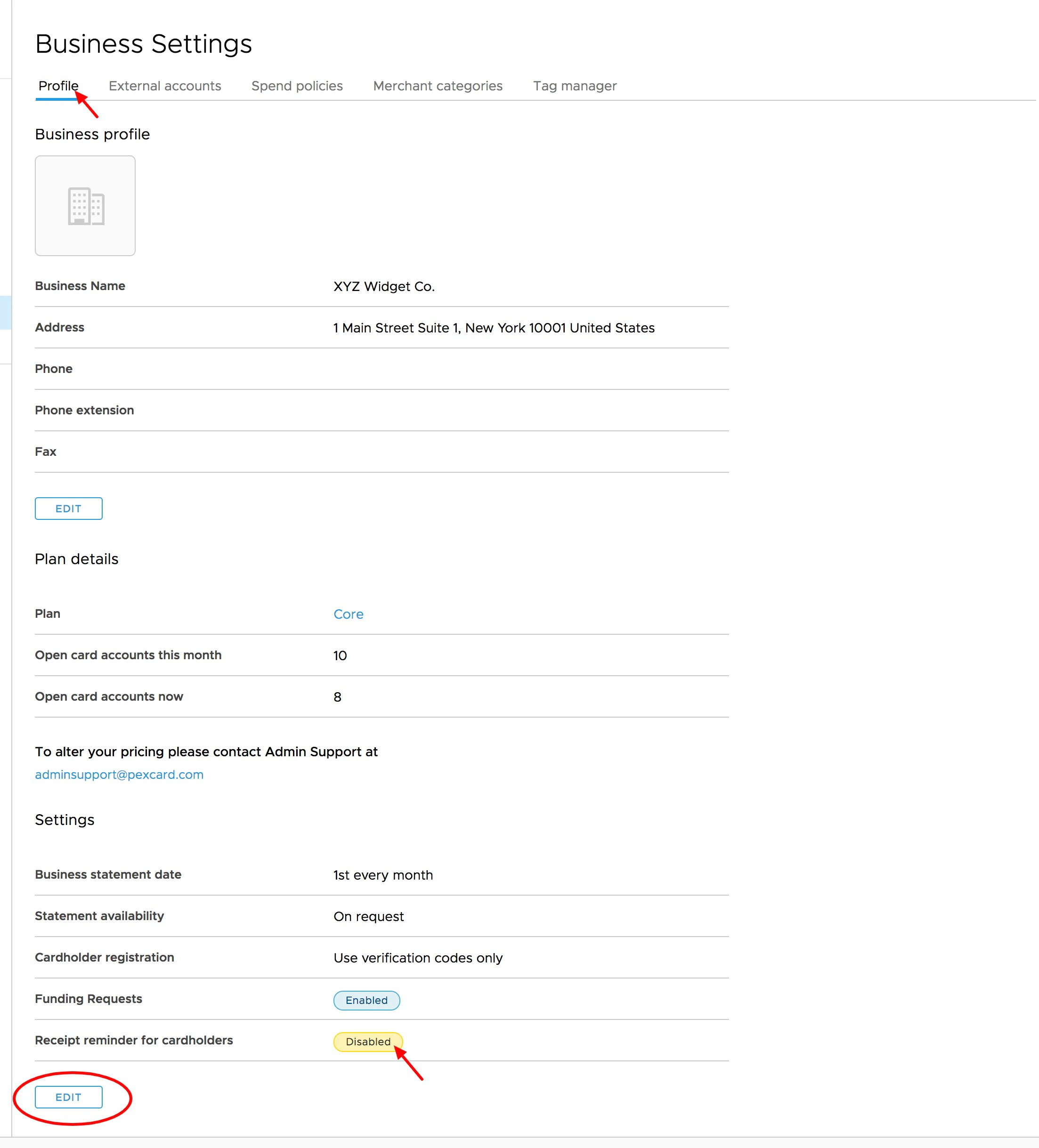
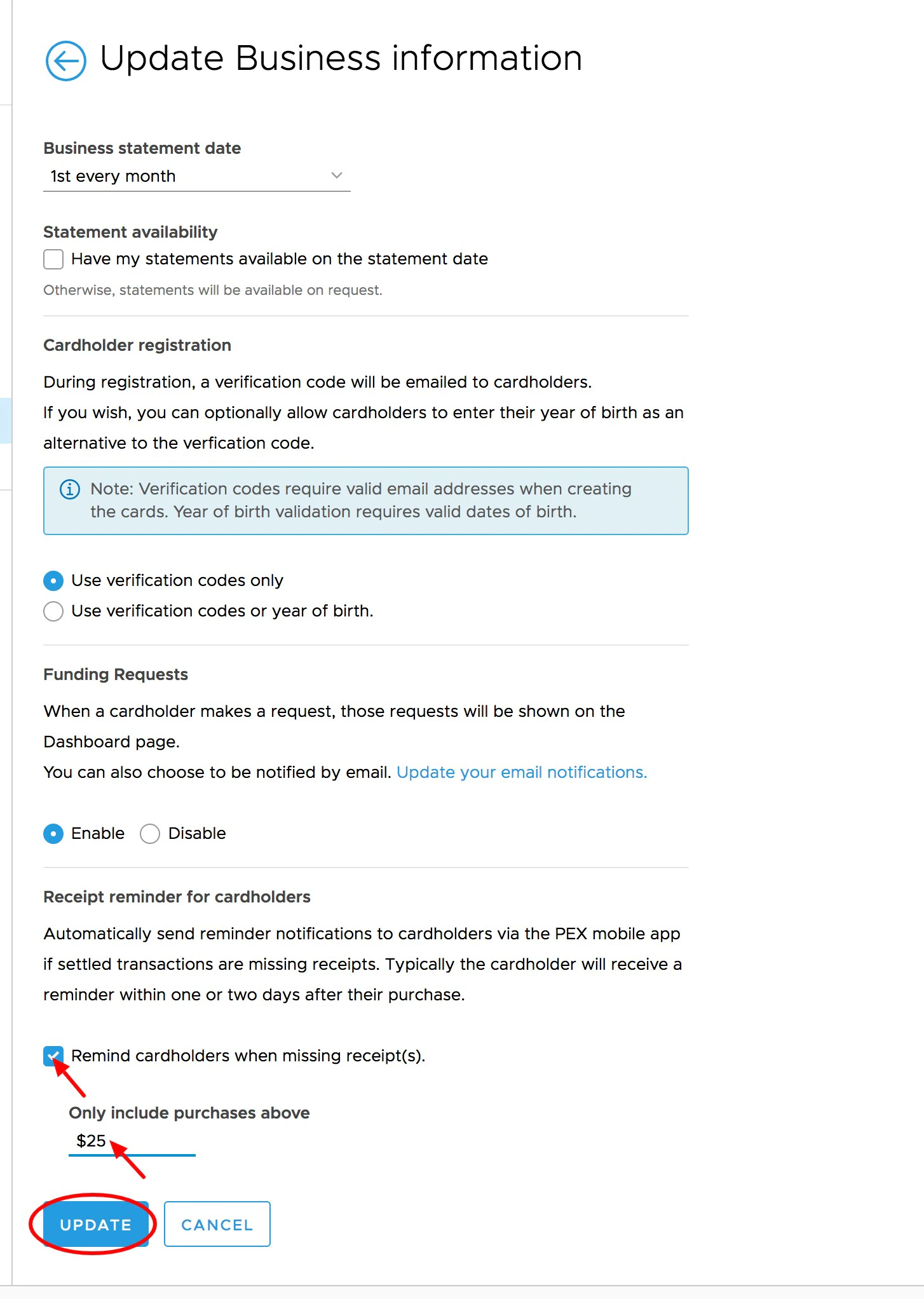
- Enter a value > $0 in the text box titled “Only include purchases above: [__]”
- Click “save”. Reminder notifications will not be sent for any transactions that fall below the threshold.