PEX Declines vs. Merchant Declines
PEX Declines
Transactions that are blocked or declined by PEX are based on spend parameters set by the Administrator.
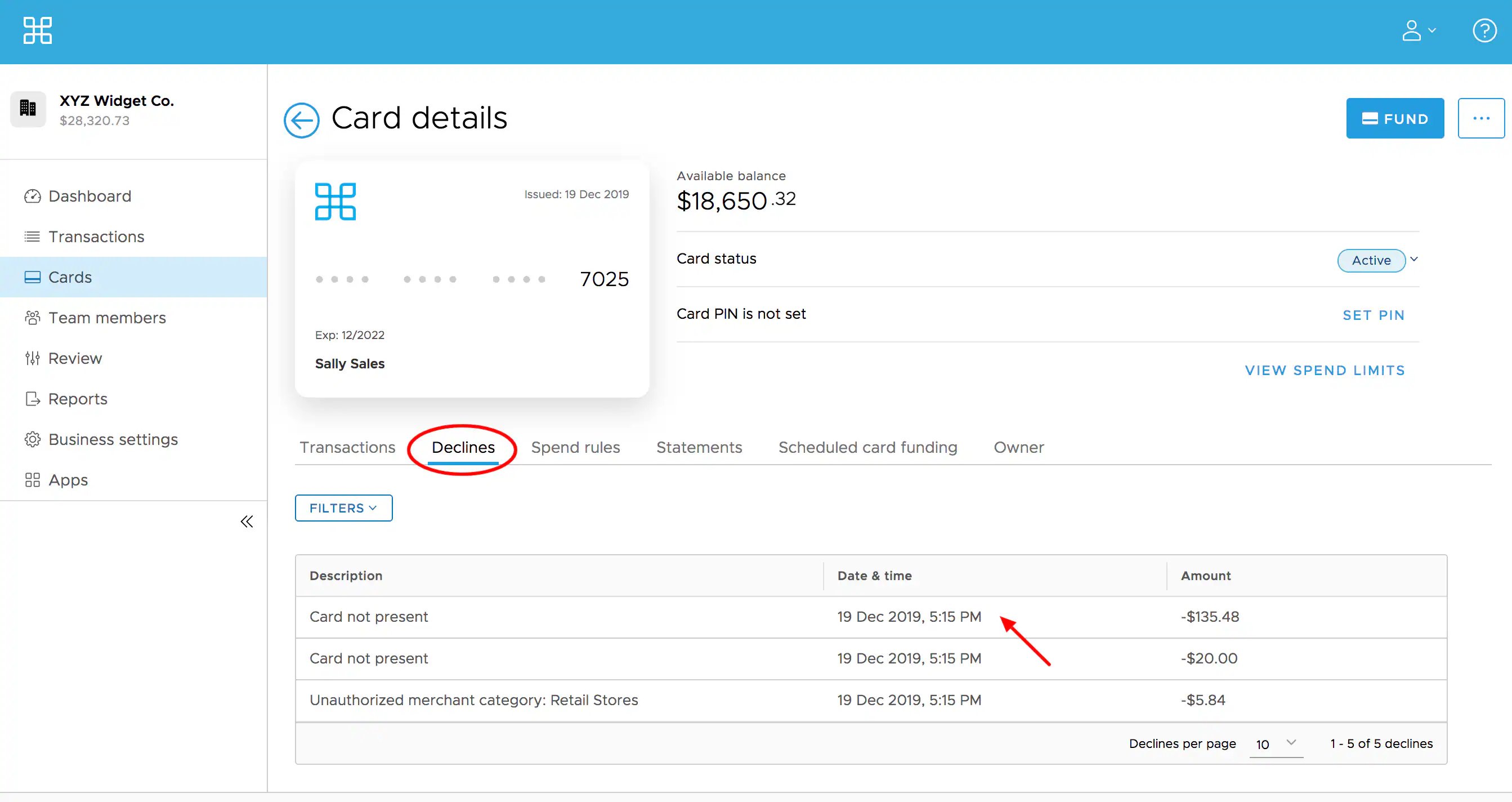
- All PEX declines can be verified by viewing the Declines section in the Cardholder’s record. Here you’ll see all merchant/transaction detail, and the reason for the decline.
Merchant Declines
When the merchant declines a transaction, the reasons are not visible to PEX, and therefore are not listed on the PEX Administrator site.
- In many cases, however, the PEX support team can help determine the reason for the merchant decline.
Most declines can be remedied by adding funds to cards or by changing the spend permissions.
Most Common Reasons for Card Declines
These are the most common reasons for declines. The Administrator can see the exact reasons for transaction declines on the Cardholder’s Decline tab on the Administrator Site.
There is a Spend Rule block
The card is not in Active status
The card has an insufficient available balance
The card has reached its daily spend limit
The card’s expiration date was manually entered incorrectly
The cardholder is attempting to spend at an unauthorized merchant
The merchant does not accept prepaid debit cards
The cardholder is attempting to spend at a non-US based merchant
The cardholder selected DEBIT at the point of sale, but there is no PIN assigned to the card
The merchant’s system automatically processes transactions as PIN required and there is no PIN set on the card
The cardholder attempted to access cash, via ATM, at a financial institution or through a merchant
The Zip Code entered does not match the card profile
Gas pump purchase - PEX authorizes and holds $49 for gas pump purchases. The merchant can hold up to $120.00, which may cause a decline due to insufficient funds
How to View Card Decline Details
Locate the cardholder’s name and Click on it
Click “Declines” tab on the card details page
Click on the description to see transaction details
The Cardholder entered the 3-digit number on the back of the card (CVV2/CVC2) incorrectly during an online purchase
The card was approved for a partial amount of the transaction total which would be equal to the card’s available balance
- Check the Transactions tab to see if there is a pending transaction for the merchant in question
The merchant does not accept prepaid debit cards
Last modified on April 22, 2026