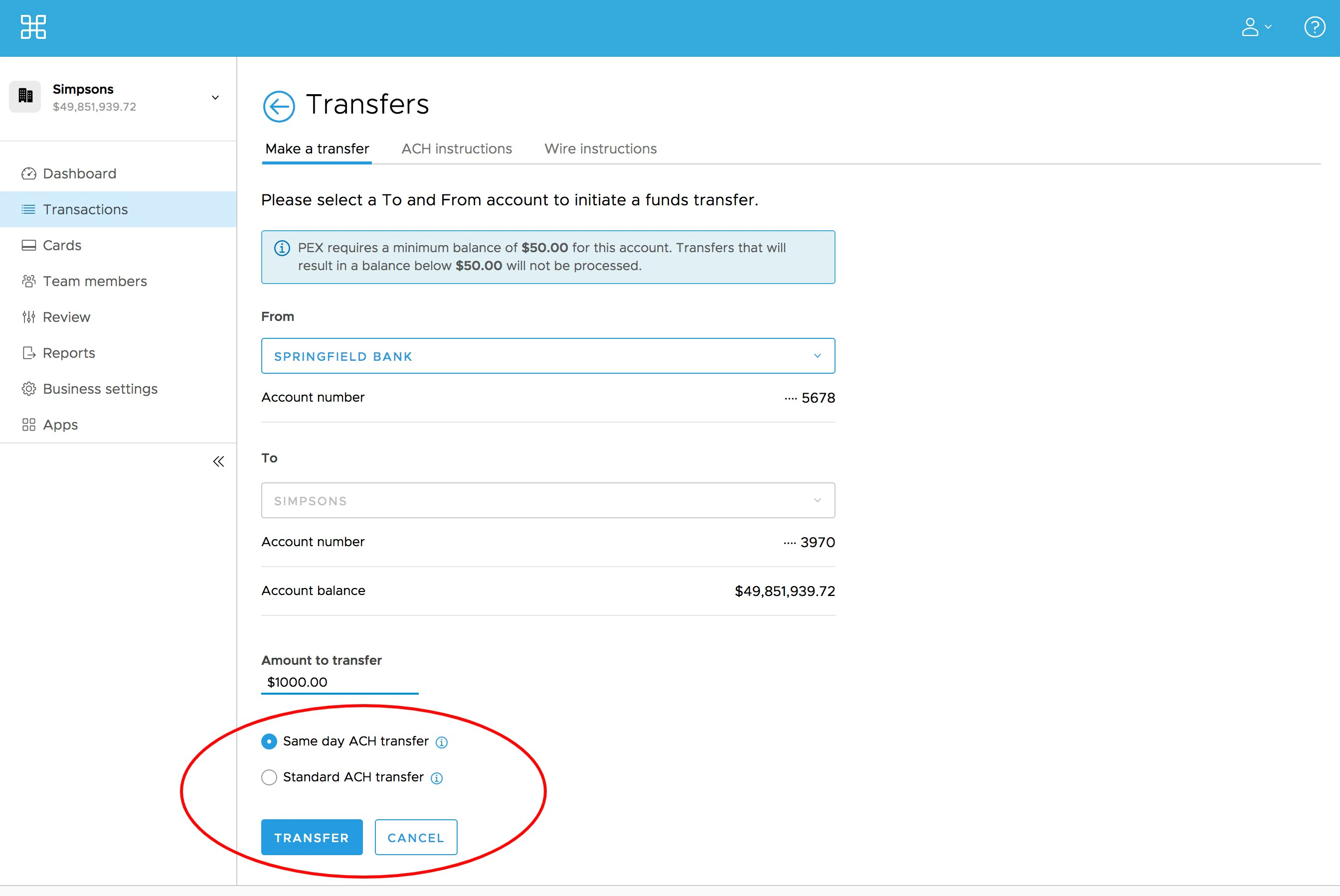
How to initiate a same day ACH transfer
Note:Some customers may need to relink their external bank accounts through Instant Account Verification via Open Banking Providers to access Same Day ACH transfers. All customers will have access to increased Same Day ACH daily transaction limits by linking or relinking their bank accounts through Instant Account Verification via Open Banking Providers.
Log on to dashboard.pexcard.com
Enter the Amount to transfer
Note:Same day ACH transfers are subject to lower transfer limits compared to standard ACH transfers. If you need to transfer an amount in excess of your Same day ACH limit, you will need to choose “Standard ACH Transfer” as noted below.
The “Same day ACH transfer” radio button will be selected by default. If you wish to transfer funds using the standard ACH process, you can choose “Standard ACH Transfer”
- You will see the expected time when funds will be available under the option you choose.